Everything the app can do, in 11 steps, taken from the phone view.
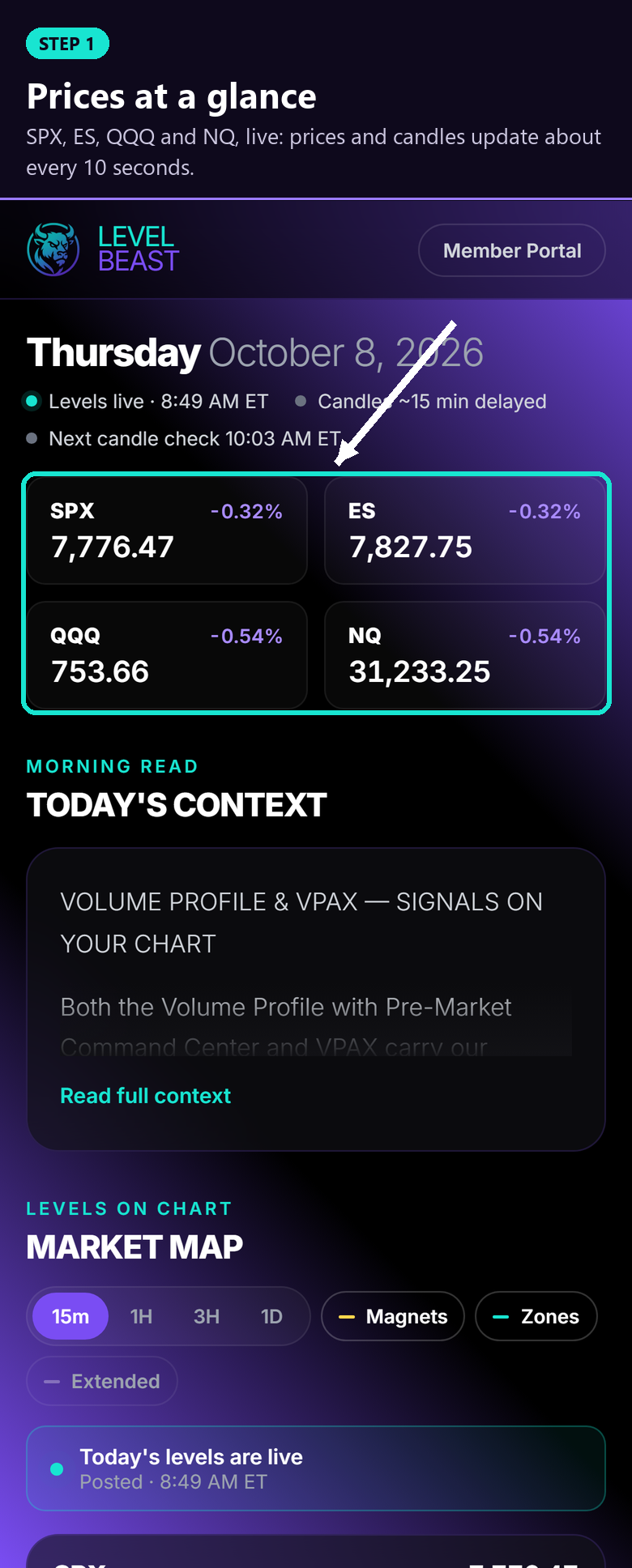
STEP 1Prices at a glanceSPX, ES, QQQ and NQ, live: prices and candles update about every 10 seconds.
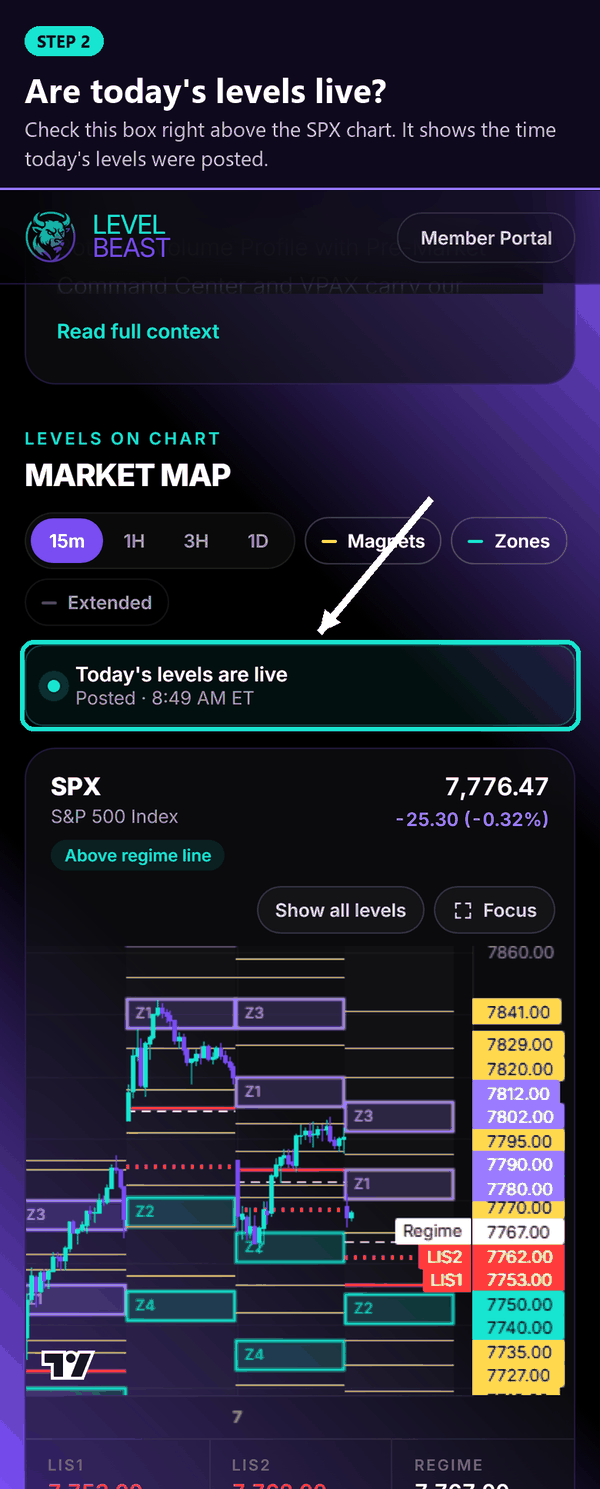
 STEP 2Are today's levels live?
Check the box right above the SPX chart. It shows the time today's levels were posted.
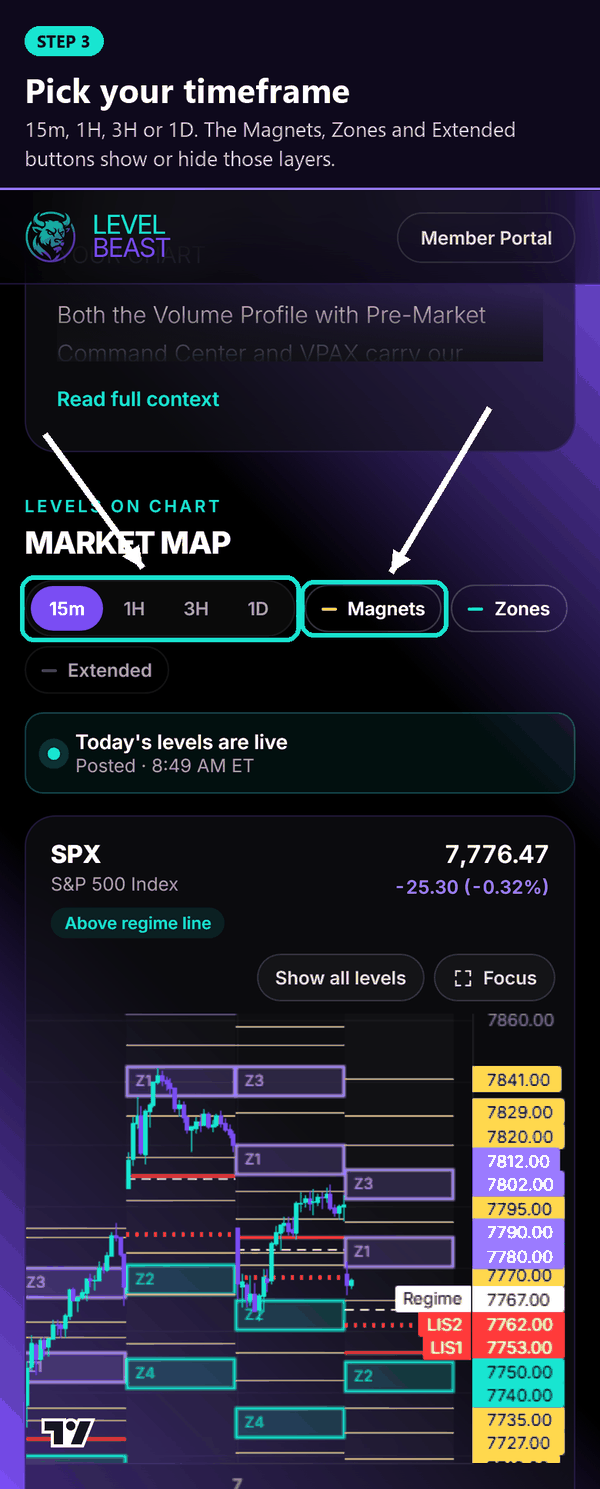
 STEP 3Pick your timeframe
15m, 1H, 3H or 1D. The Magnets, Zones and Extended buttons show or hide those layers.
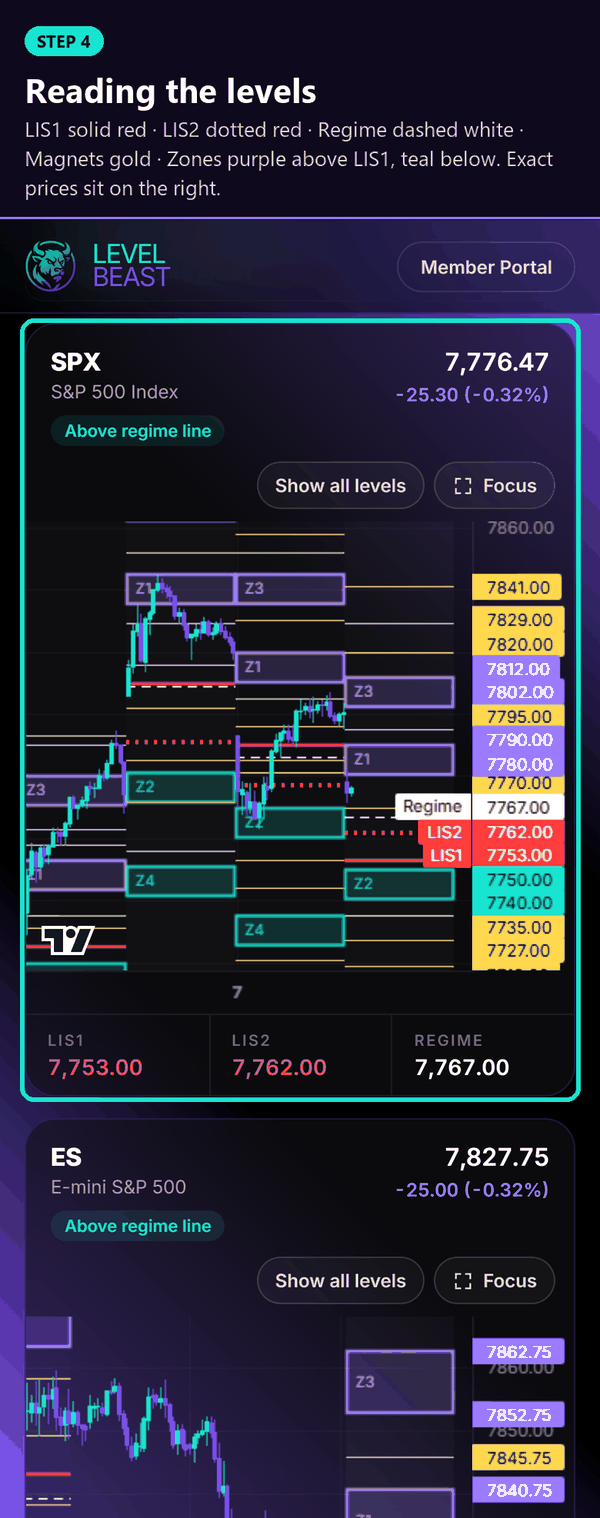
 STEP 4Reading the levels
LIS1 solid red, LIS2 dotted red, Regime dashed white, Magnets gold, Zones purple above LIS1 and teal below. Exact prices sit on the right.
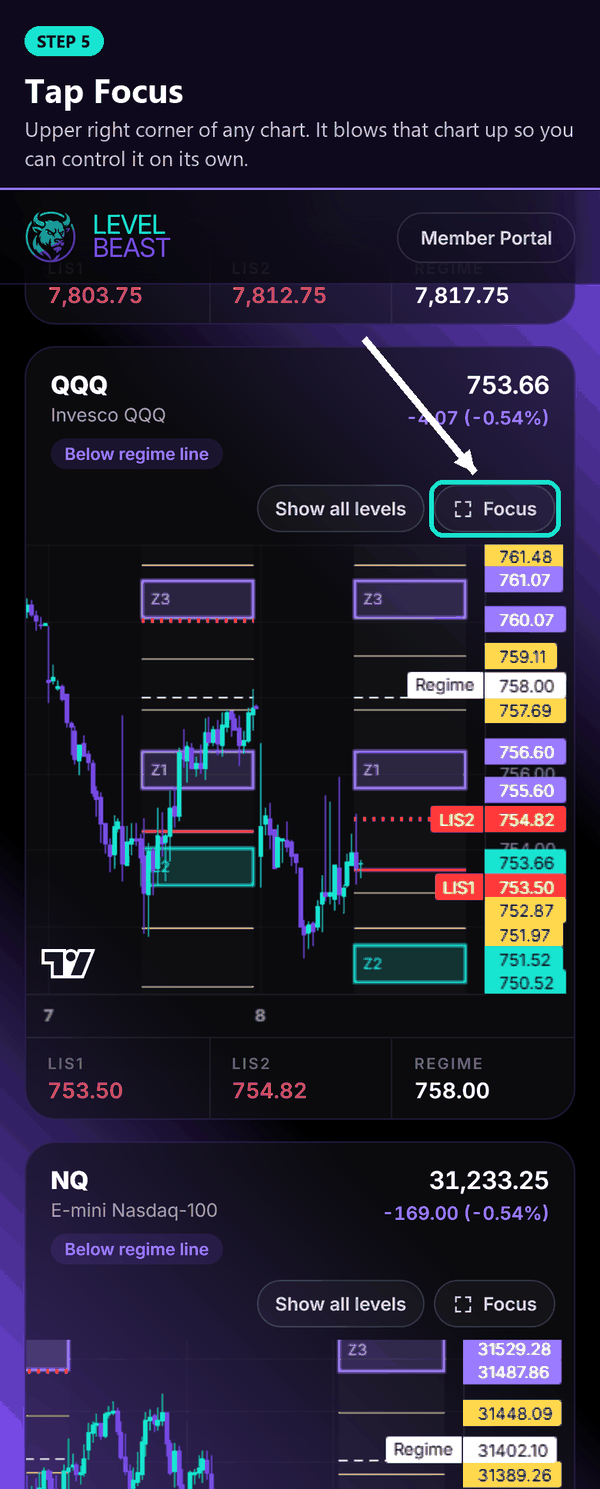
 STEP 5Tap Focus
Upper right corner of any chart. It blows that chart up so you can control it on its own.
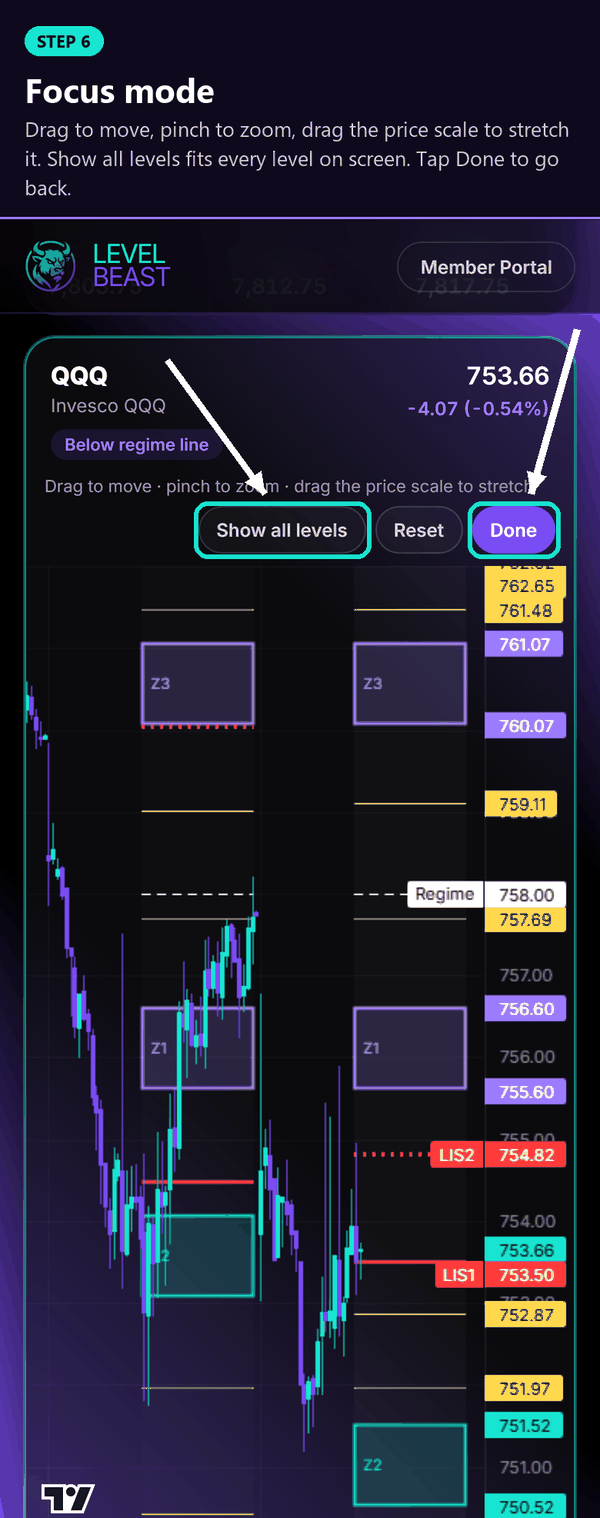
 STEP 6Focus mode
Drag to move, pinch to zoom, drag the price scale to stretch it. Show all levels fits every level on screen. Tap Done to go back.
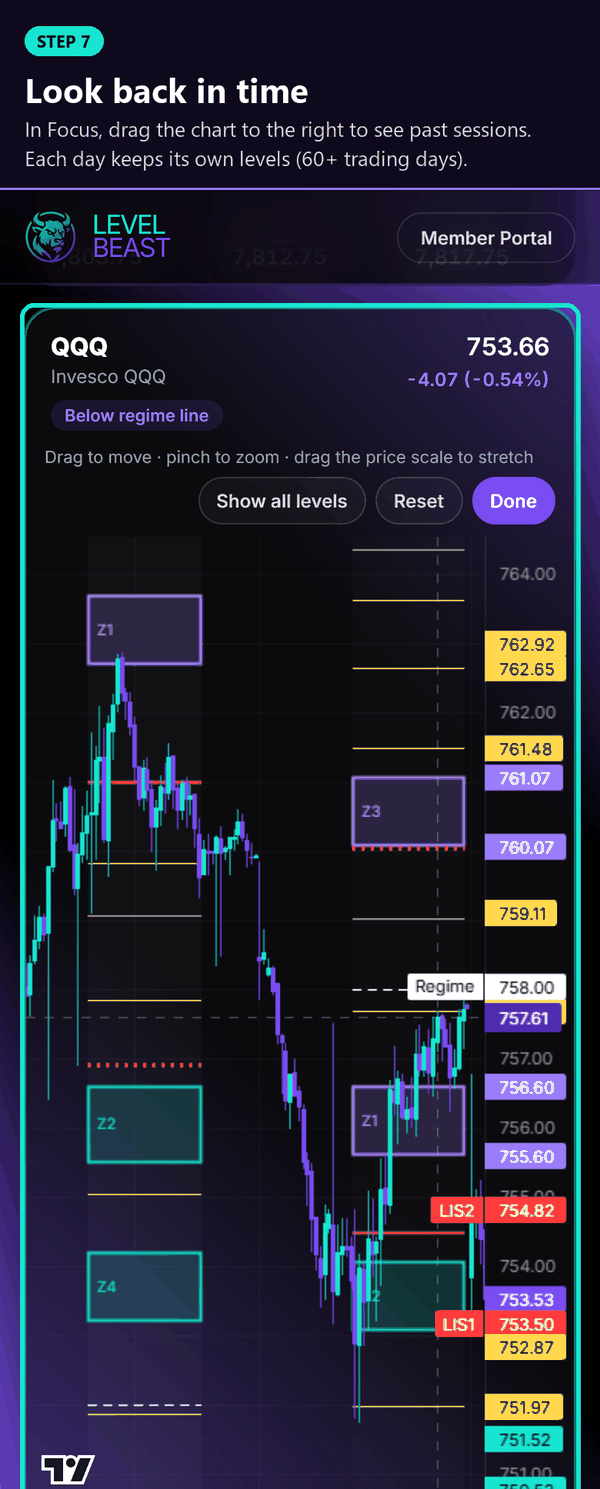
 STEP 7Look back in time
In Focus, drag the chart to the right to see past sessions. Each day keeps its own levels (60+ trading days).
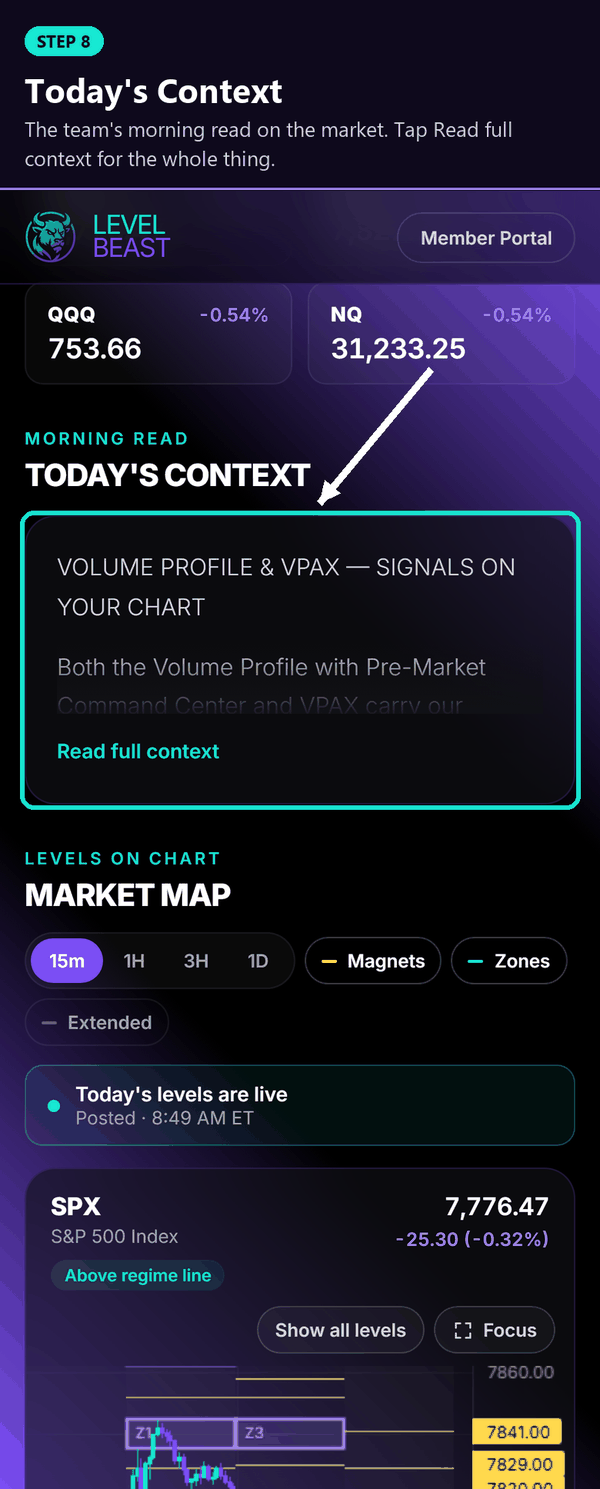
 STEP 8Today's Context
The team's morning read on the market. Tap Read full context for the whole thing.
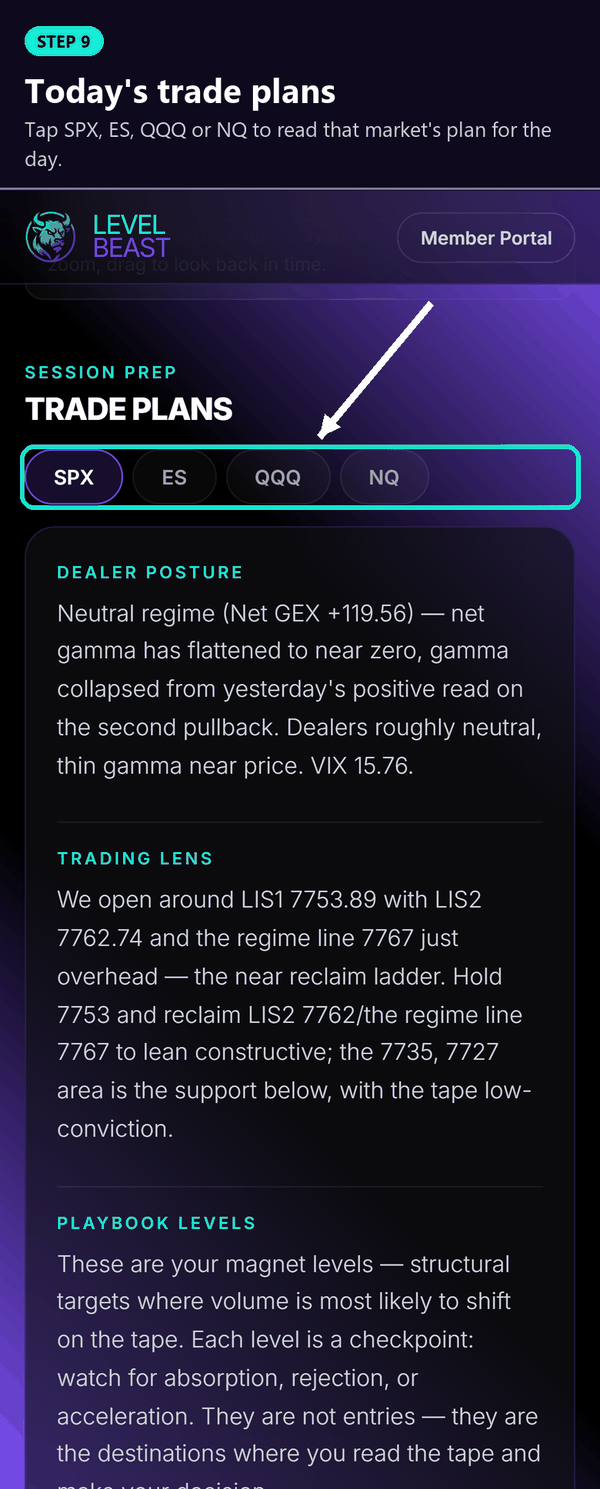
 STEP 9Today's trade plans
Tap SPX, ES, QQQ or NQ to read that market's plan for the day.
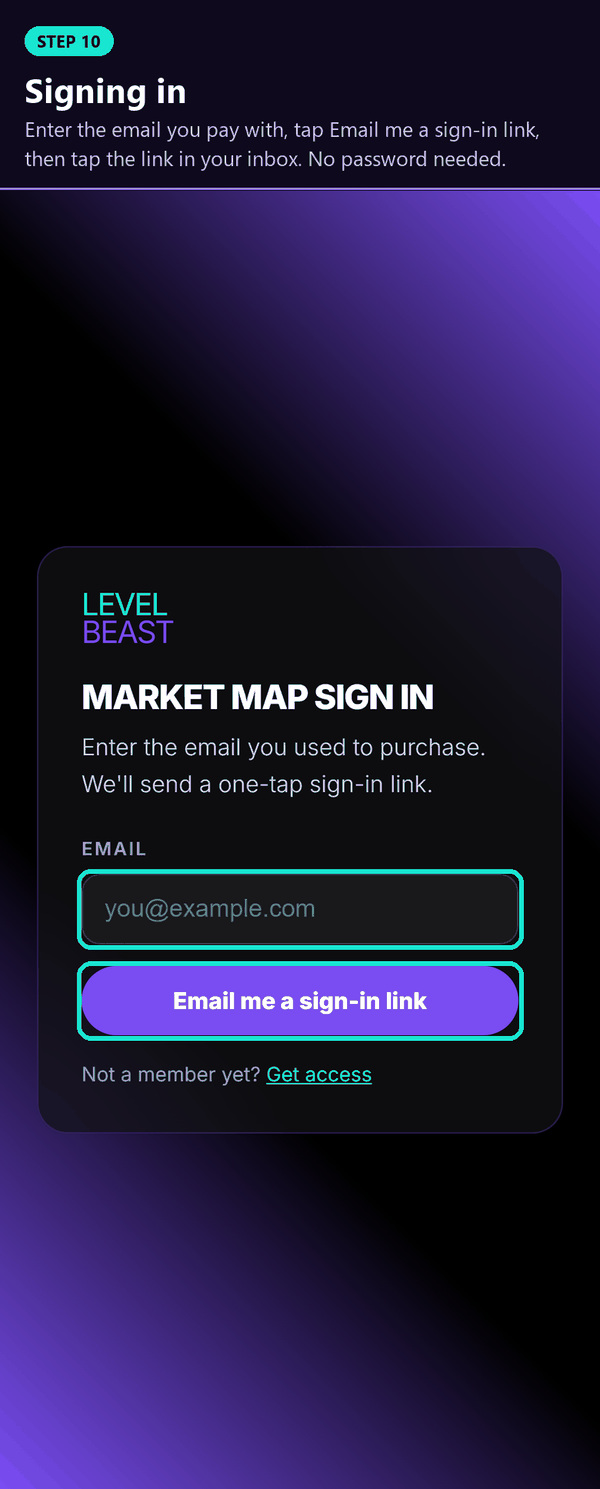
 STEP 10Signing in
Enter the email you pay with, tap Email me a sign-in link, then tap the link in your inbox. No password needed.
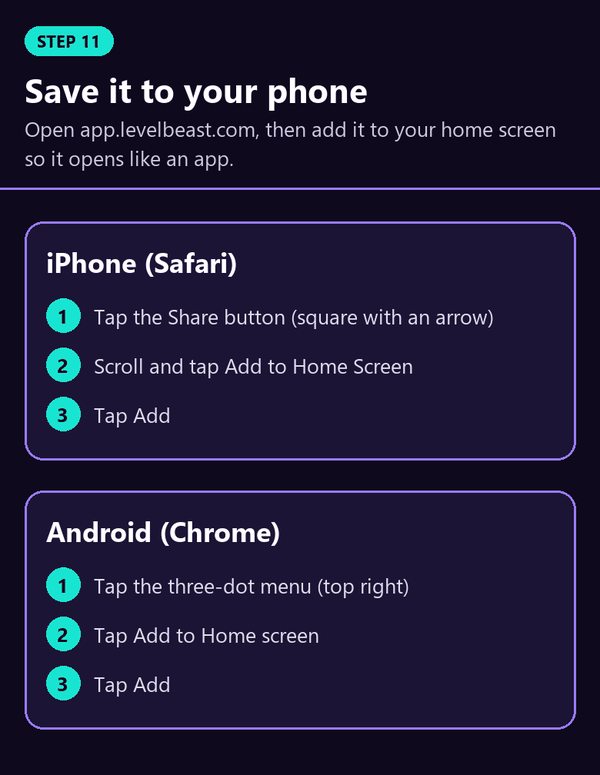
 STEP 11Save it to your phone
iPhone (Safari): Share, then Add to Home Screen. Android (Chrome): the three-dot menu, then Add to Home screen.